Booking tickets
There are a number of easy ways to buy tickets for events at OVO Arena Wembley, just follow these simple steps:
Head to ovoarena.co.uk or open up our venue app and click on the event that you’d like to go to.
Click Find Tickets to be taken through to AXS.com for General Admission/Seated or Premium Tickets:
- Choose Get Tickets on the ticket type
- Pick your preferred area on the arena map
- Click the dots to choose which seats and how many you’d like
- Click checkout and follow the steps to payment
Please note that Lounge Passes are an upgrade only and require a ticket to the event to be redeemed.
OR
Click Buy Premium to be taken through to Ticketmaster.co.uk for Premium seating tickets and packages:
- Pick your preferred Premium seating selection on either the side bar, or using the arena map.
- For Empire Seats, click the dots to choose which seats and how many you’d like.
- Click Get Tickets to go through to the checkout and follow the steps to payment.
If you are taken through to AXS.com when clicking Buy Premium, simply follow the steps in the section above.
Confirmation
Once you’ve bought your tickets, confirmation emails are usually sent straight away – but may take a little longer for popular shows (up to 4 hours). If it’s been over 4 hours, check your junk or spam folders, and if they’re not there, speak to your ticket provider.
Get ahead of the crowd by signing up to our newsletter where you will have exclusive access to our venue presales. Some events are very popular and sell out within a few minutes.
Ticket Providers
AXS is our official ticketing and resale partner.
Ticketmaster is our official Premium ticketing partner.
We encourage you to buy tickets from our official ticketing partners, but other ticket agents may be used by the event organiser or promoter, if you’re not sure an agent is authentic, check before buying.
How to get your ticket / OVO Arena Wembley venue app
If you’ve bought your ticket, but you don’t know how to access it, we’ve got you covered, just follow the instructions below.
All tickets to events at OVO Arena Wembley are delivered by our official ticketing partner, AXS.
1. Download the OVO Arena Wembley venue app
Click HERE to download or update to the latest version from your app store.
Please note - we released a brand-new version of our venue app on 21st October 2026 for an improved and upgraded experience. If you downloaded our venue app prior to this date then you will need to ensure that you have updated to the latest version of the app, the old version of our app is no longer supported. You will also need to create a new venue app account by following the next step below.
2. Create an OVO Arena Wembley venue app account
You'll be asked to create an OVO Arena Wembley venue app account, we recommend creating your venue app profile with the same e-mail and password as your AXS account or as you used to purchase your tickets with other agents.
Please remember - if you have previously downloaded and created a venue app account prior to 21st October 2026 then you will need to ensure that you have updated to the latest version and have also created a new venue app account.
3. Connect your ticketing account
AXS Customers - Connect / log in to your AXS ticketing account. If you have forgotten your AXS account password you will be able to reset this when prompted to log in.
Other ticket agents (e.g. Ticketmaster) - if you have purchased your tickets from another ticket provider such as Ticketmaster, we’ve done the work behind the scenes to deliver your tickets. Once you have received confirmation that your tickets have been delivered from your ticket provider*, simply connect / login via AXS using the same e-mail and password that you used to purchase your tickets.
*Tickets are usually delivered up to 48 hours before the event.

4. View and display your tickets
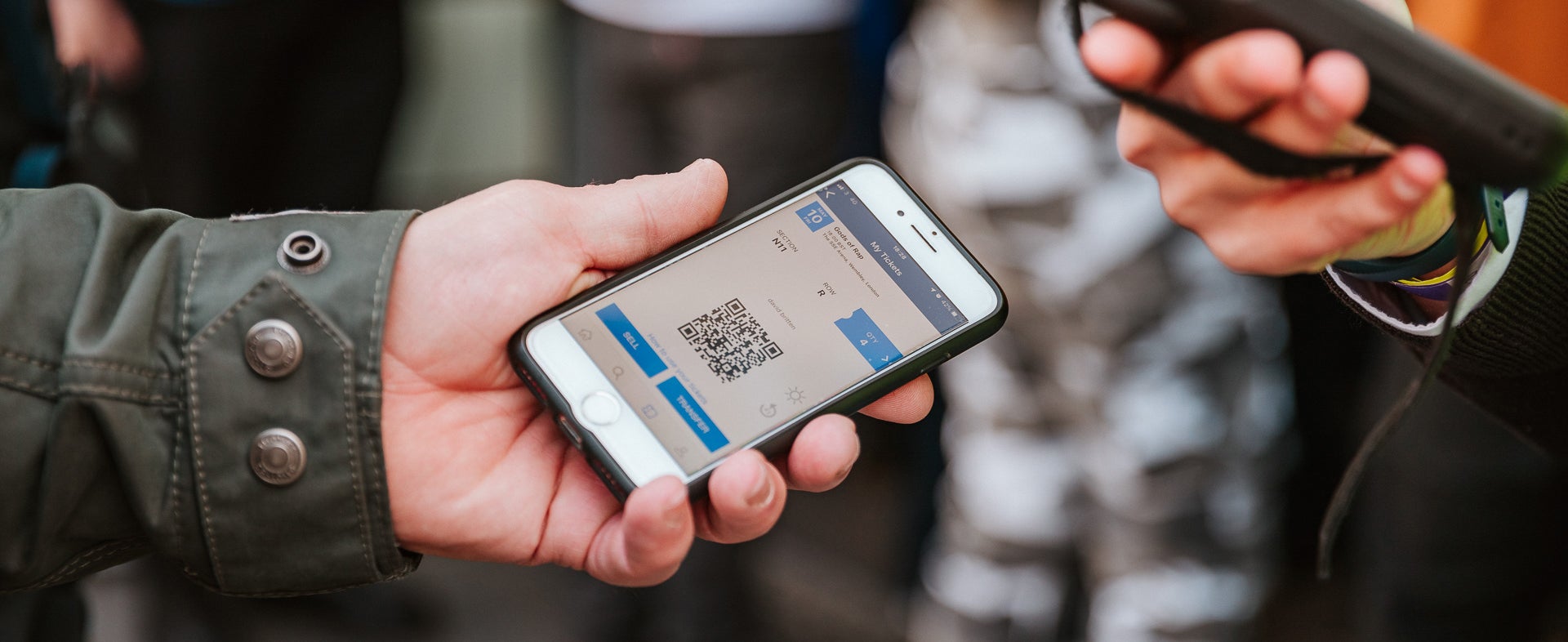
After following the steps above, simply tap the ‘Your Tickets’ button on the home screen to view and display your tickets via the AXS portal.
Please note - tickets must be viewed directly on the app and screenshots cannot be accepted. The unique barcode has an anti-tout mechanism that makes sure tickets can’t be copied – as part of this, the bar code changes in the app every 59 seconds.
What happens if I can’t see my tickets?
Tickets are usually uploaded closer to the event. If the show is less than 48 hours away, try these steps:
- Check your email address. Make sure you’re using the same email you bought the tickets with.
- Try deleting and re-installing the app – and double check you have the latest version
- Contact your ticket provider to check the tickets have been uploaded and there were no spelling mistakes in the email.
- If you are an international customer and are having trouble seeing your tickets, connect to wi-fi when you arrive in the UK.
- If you are receiving error messages try connecting to the venue wi-fi when you arrive.
What if I still can’t see my tickets, don’t have a smartphone or can’t download OVO Arena Wembley app?
If you’ve tried these steps and still can’t see your tickets, don’t have a smartphone or can’t download OVO Arena Wembley app, please bring Photo ID (matching the name of the booking) and your order confirmation email to the OVO Arena Wembley Box Office for help from 1 hour before doors on the event day. All members of the booking will need to be with the ticket purchaser.
Box Office Opening Hours
The box office is open on event days only, from no later than 1 hour before doors and closes approximately 15 mins after the main act starts. You can find it on the right-hand side of the front of the building, when facing from Arena Square.
Resale tickets: selling or buying
Selling AXS tickets
If you can’t attend an event, you can sell your tickets on AXS Official Resale, to give another fan the chance to go. It’s quick and easy:
- Login to the OVO Arena Wembley venue app, and click ‘My Tickets’.
- Choose the event and tickets, and click sell
- Tick the boxes for the tickets you’d like to sell.
- Add your selling price per ticket (capped at 10%* above the price paid), listing the expiry date and time, and add any extra seat info if you like.
- Click preview offer then confirm offer and your seat will be posted within an hour.
Add your payment details to be paid into, by going to your account, then selling info. In the UK section, click on account type and choose either bank account or Paypal.
- You can sell your tickets from 24 hours after the general on-sale, right up to one hour before the doors open.
- If you change your mind about selling your ticket, login to your account, find your ticket and remove the listing with one simple click.
*AXS implemented a 10% cap for fairness to the buyer and seller. Adding 10% to the sale price covers any additional costs, but it’s also not enough margin for ticket touts to bulk buy tickets for resale.
Note, some tickets may not be available for re-sale – this will be shown when you buy, but if you’re unsure, check with your ticket provider.
Selling tickets from other ticket providers: As long as there are no restrictions from the provider, any tickets received in the OVO Arena Wembley venue app, can be transferred or resold. If you’re not sure, check with the provider.
Receiving payment for sold tickets: When your ticket has sold, you’ll get a confirmation email, then payment will arrive in your account 10 working days after the event has taken place.
Buying Resale tickets: Resale tickets can be found in the same place as the main event. Simply click on the event you’d like to go to, then choose ‘AXS official resale’ and follow the instructions. Payment and delivery are all handled by AXS - you won’t have contact with the buyer.
Top tips when buying resale tickets:
- Match the number of tickets put up for sale by the seller. If four tickets are listed - sometimes the seller will want all the tickets sold in one go, others may be happy to sell them individually.
- Only one resale listing can be bought at a time. There could be tickets listed for resale next to each other, but listed by different sellers. These would need two separate bookings.
Be careful of unofficial agents and listings on sites like Gumtree, as these could be fake, stolen or invalid. Here are some handy hints to help you decide if your ticket is valid:
- Check that the event is happening. If it’s not on the OVO Arena Wembley, AXS or Ticketmaster websites, it’s likely the tickets are fake.
- Check the face value of the seat the OVO Arena Wembley, AXS or Ticketmaster websites. Unofficial agents charge much more and add on huge booking fees.
- An official ticket agent should be able to give you your block, row and seat details.
- Always buy tickets from an official agent and never from anyone outside the venue.
Transferring tickets
If you’ve bought tickets as a gift, or simply want to transfer them to a different name, please follow the instructions below.
To transfer a ticket to another person in the app, please follow the following steps.
- Once logged in to the OVO Arena Wembley venue app click 'Your Tickets' on the home screen.
- Select the event you would like to transfer tickets from
- Click 'Transfer'
- Enter the recipient's first name, last name, and email address
- Click 'Continue'
- Review the information and click 'Transfer'
*Note, some tickets may not be transferable – this will be shown when you buy, but if you’re unsure, check with your ticket provider.
Once the transfer is done, the name on the ticket automatically changes.
Ticket transfer tips
- Check you definitely want to start the transfer. Once you’ve started the transfer, you may not be able to cancel it. If the person you’re transferring to has an AXS account, the tickets will transfer immediately (If they don’t have an AXS account, you can cancel the transfer).
- The number of transfers depends on your ticket provider – so please check with them.
Refunds / exchanging tickets
Refunds are only available if a show has been cancelled or rescheduled. We are unable to change tickets or amend orders after they have been purchased.
If an event has been postponed: You’ll be offered access to the rescheduled event at no extra charge, using your original ticket. Your ticket may disappear from the app until nearer the new date – don’t worry – this is completely normal. If you can’t make the rescheduled event, it’s up to the promoter if you’re allowed a refund. Your ticket provider will contact you.
Exchanging tickets: If an event has been postponed, unfortunately you can’t exchange tickets for better seats.
If an event has been Cancelled: For online bookings, tickets will be automatically refunded, you don’t need to do anything.
Refunds take 5-10 working days to show in your account.